Preview coming soon
An MCP Server with Brave Search API integration featuring interactive UI results. Search the web, images, videos, and news with rich visual presentation. Supports pagination, freshness filters, and local business search.
Installation
Add the following configuration to your MCP client settings file to install this app.
{
  "claude": {
    "mcpServers": {
      "brave-search": {
        "command": "npx",
        "args": [
          "-y",
          "@mikechao/brave-search-mcp"
        ],
        "env": {
          "BRAVE_API_KEY": "your-key"
        }
      }
    }
  }
}Related Apps
 Featured
3D Viewer
Interactive Three.js 3D scene visualization and manipulation

ShaderToy
Real-time GPU shader playground rendered in your conversation
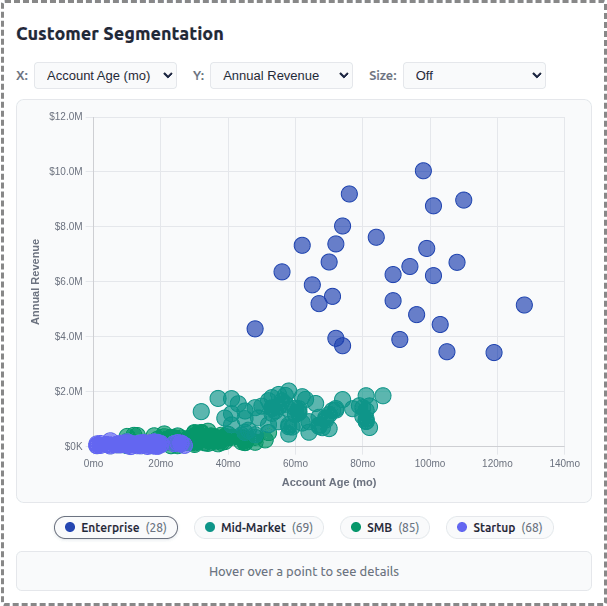
Customer Segmentation
Visual customer data clustering and segment analysis
Install Instructions
Copy the JSON config below and paste it into your MCP client settings file.
For Claude Desktop:
Add to ~/Library/Application Support/Claude/claude_desktop_config.json (macOS) or %APPDATA%\Claude\claude_desktop_config.json (Windows):
{
  "mcpServers": {
    "brave-search": {
      "command": "npx",
      "args": [
        "-y",
        "@mikechao/brave-search-mcp"
      ],
      "env": {
        "BRAVE_API_KEY": "your-key"
      }
    }
  }
}
Get this App
Copy the config and paste it into your MCP client settings.
{
  "claude": {
    "mcpServers": {
      "brave-search": {
        "command": "npx",
        "args": [
          "-y",
          "@mikechao/brave-search-mcp"
        ],
        "env": {
          "BRAVE_API_KEY": "your-key"
        }
      }
    }
  }
}Stats
Works With
Links
README Badge
Add this badge to your GitHub README:
[](https://getmcpapps.com/apps/brave-search)